-
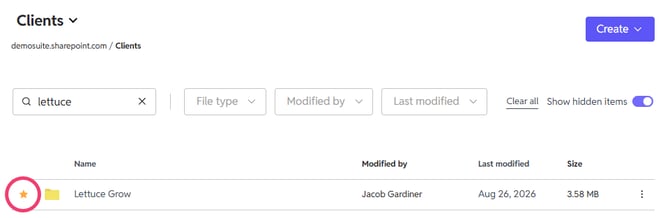
Navigate to the file or folder you wish to mark as a Favourite.
-
Click the star icon to the left of the item to make it a Favourite.
-
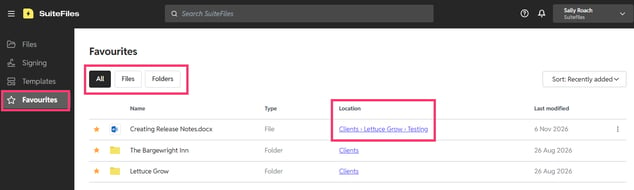
To view all your Favourites, select Favourites from the left hand menu bar in SuiteFiles.
-
You can view just folders, or files, or All depending on the filter buttons at the top.
-
The Location column conveniently shows the path of the item, which is a helpful identification if there are favourites with similar names.
-
To remove an items from Favourites simply click the star icon to the left of the item, either in the Favourites window or the item's actual location in Files.