
Please note: This article is for moving and duplicating files in New SuiteFiles. To learn how to move and duplicate files in SuiteFiles Legacy, click here
How to Move a single file or folder
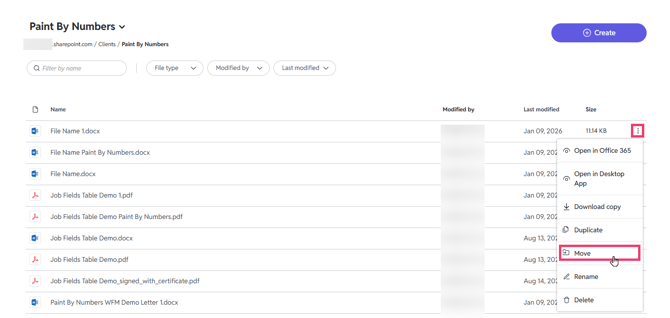
- Click the three dots next to the file or folder name.
- Select Move from the menu that appears.
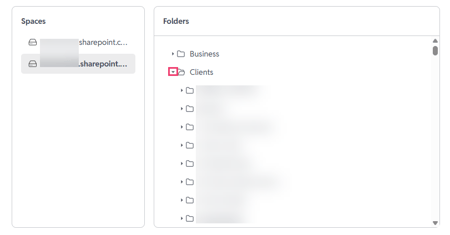
In the pop-up window, navigate to the folder where you want to move the file/folder to. Find these files by clicking the drop-down arrow to the left of the folder name until you find the desired folder.
-
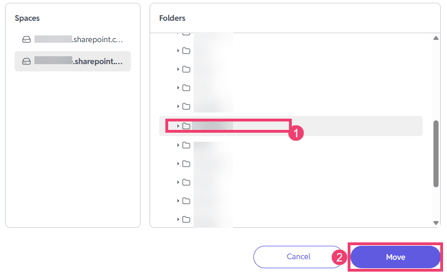
Select the destination folder by clicking the row (anywhere except the folder name).
- Click Move.
How to Duplicate a single file
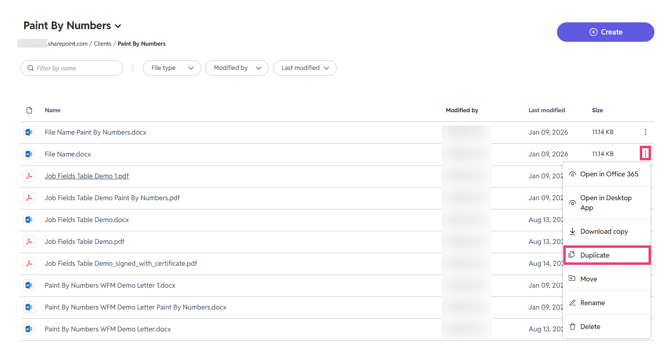
- Click the three dots next to the file name
- Select Duplicate from the menu that appears
Navigate to the destination folder and click Create duplicate.
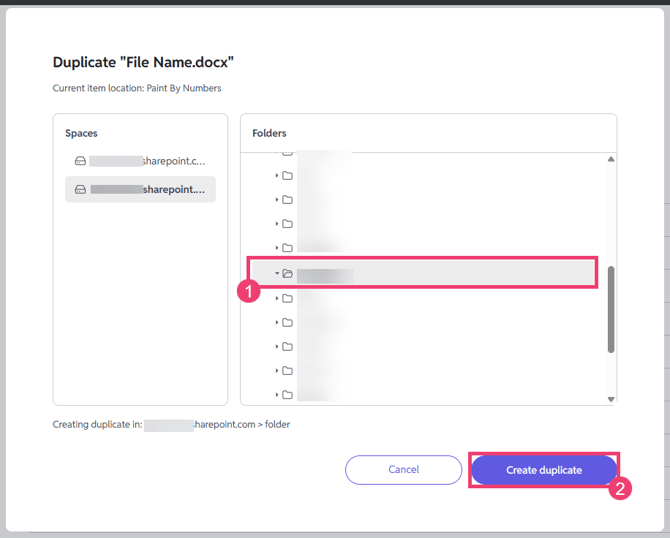
The duplicate file will save to the selected folder with '1' appended to the name.