
Before you start: you'll need the SuiteFiles Administrator role to invite people. Learn more about user roles.
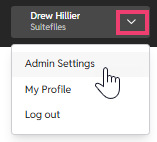
- In New SuiteFiles, click the arrow top right and click Admin Settings.
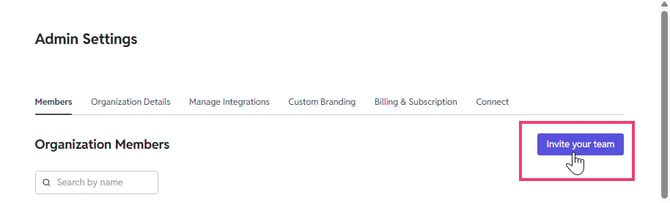
- On the Members tab, click Invite your team.
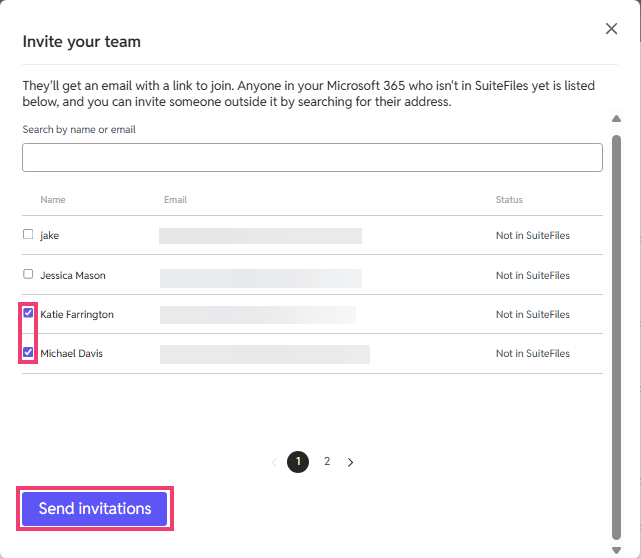
- Tick each person you'd like to invite. Everyone in your Microsoft 365 who isn't in SuiteFiles yet is listed here. To find someone quickly, or to invite someone outside your organisation, search by their name or email address.
-
Click Send invitations.
What happens next
Each person gets an email with a link to join SuiteFiles. You can come back and invite more people at any time.
You can assign roles for access to certain features eg Document Signing. SuiteFiles User Roles