
- In New SuiteFiles click the arrow top right and click Admin Settings
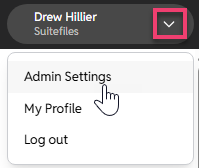
- Navigate to the Members tab. Here you can review which Role each user in your organisation has been given access to.
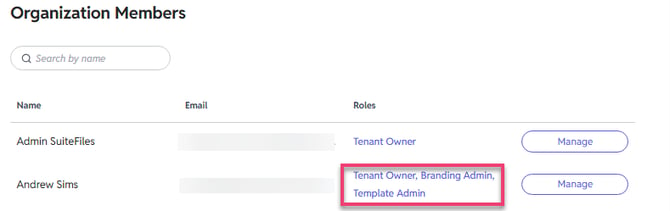
- Click Manage to Assign or Remove roles from a user.

- Descriptions of whateach role provides access to below.
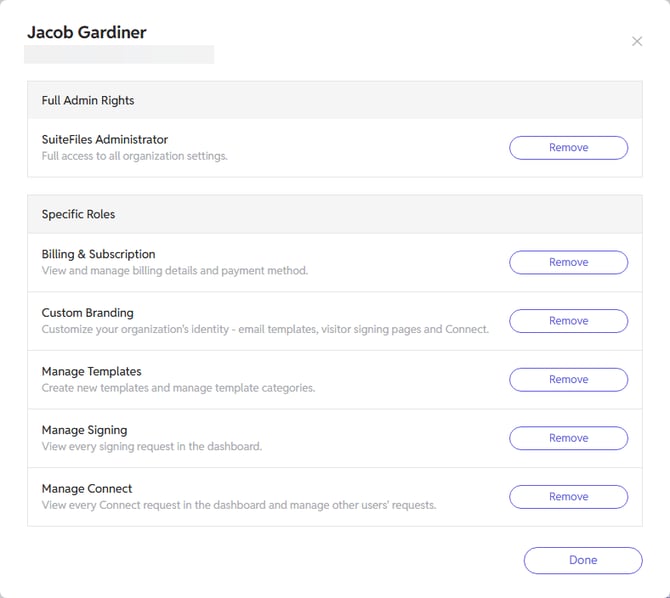
SuiteFiles Administrator - Access to everything is SuiteFiles including all of the below and your Admin Settings.
Billing & Subscription - provides a user with the ability to update your sites billing details.
Custom Branding - allows a user to update the colours and logo on all client-facing parts of SuiteFiles.
Manage Templates - allows a user to create and edit templates.
Manage Signing - allows a user to view all signing requests sent from your site.
Manage Connect - allows a user to see and update every request across the organisation.