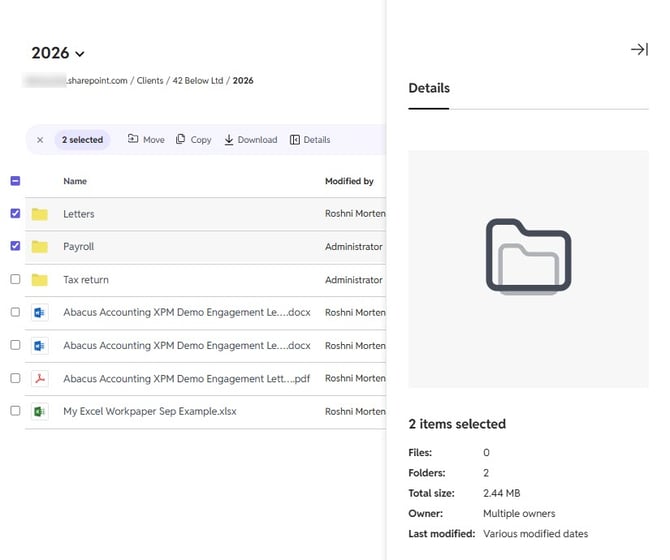
To view the details of a single file or folder, click the three dots to the right of the file/folder and select Details.
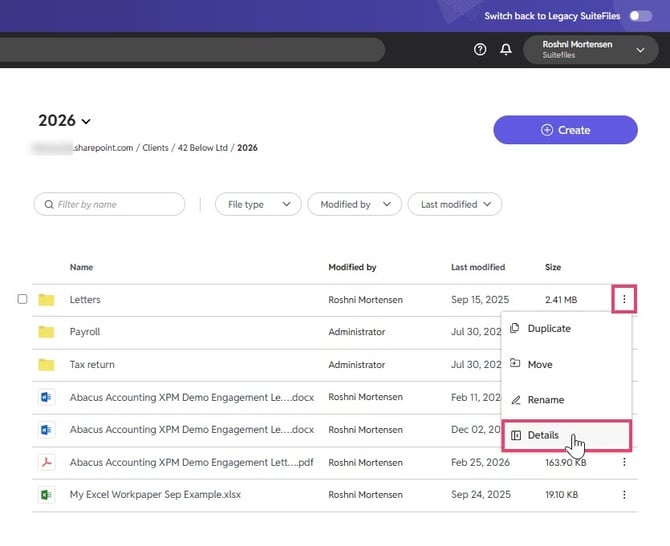
Folder details:
The Details side panel will display:
-
Folder name
-
Number of items contained within that folder
-
Folder size
-
Created by name
-
Last modified date
-
Document ID
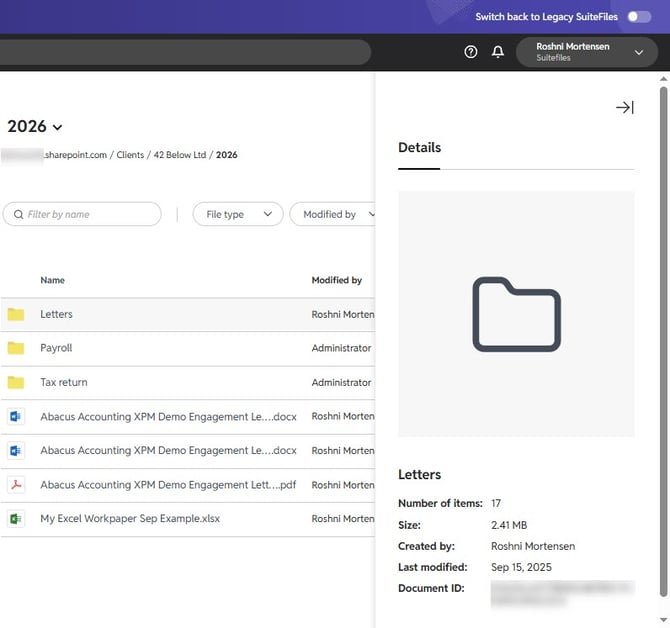
File details:
If you've selected a File, a preview of the document's first page will appear, along with:
- File name
- File size
- Created by name
- Last modified date
- Document ID
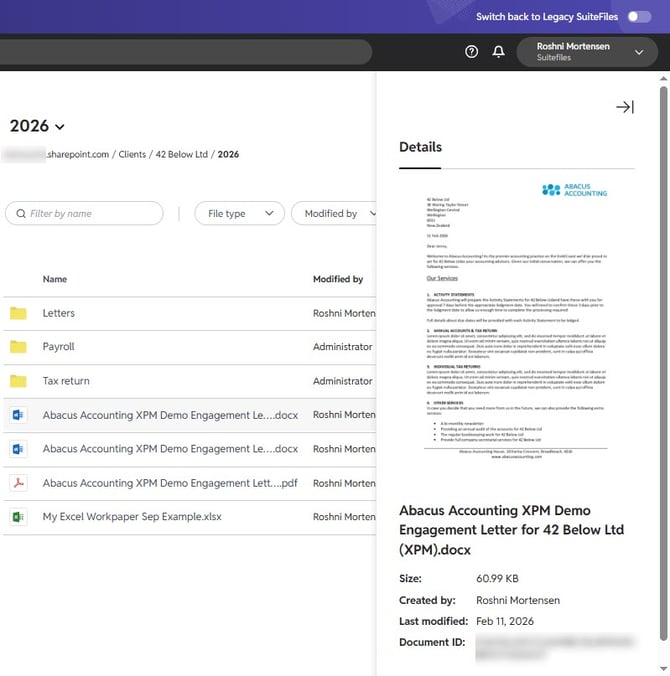
View details of multiple folders or files
To view the details of multiple folders or files:
- Hover over one file or folder you want to view the Details for
- To the left of the name, a check box should appear. Click the box, and then the box next to any other file or folder you wish to view the Details for
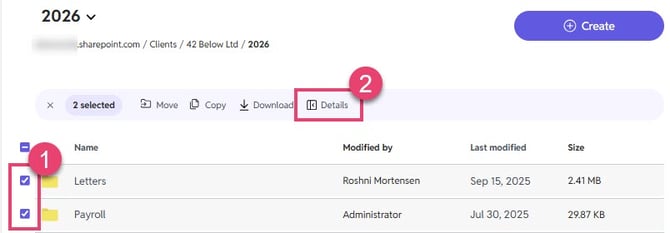
- At the top of the page, select Details
- The Details side panel will display:
- Number of items selected
- Number of files contained within the selected folders
- Number of folders
- Total size
- Owner (Created by user)
- Last modified date